A client opens an invoice from you. The logo is right, the tone is right, and the amount looks familiar. The only thing that's changed is the bank account.
You didn't send it. But it came from your exact email address, and nothing told their inbox to stop it.
This is the fourth issue about the front door. The first three made the case that your website, your email and what AI says about you are where buyers decide whether to trust you. This time we stopped arguing and measured it.
In October, we ran the same public check on 988 independent businesses in ten industries across 16 Greater Boston communities. Law firms, dental practices, restaurants, auto shops, child care centers. We didn't log in to anything or test anyone's defenses. We only looked at what a customer, an inbox or an AI tool can already see.
The Signal
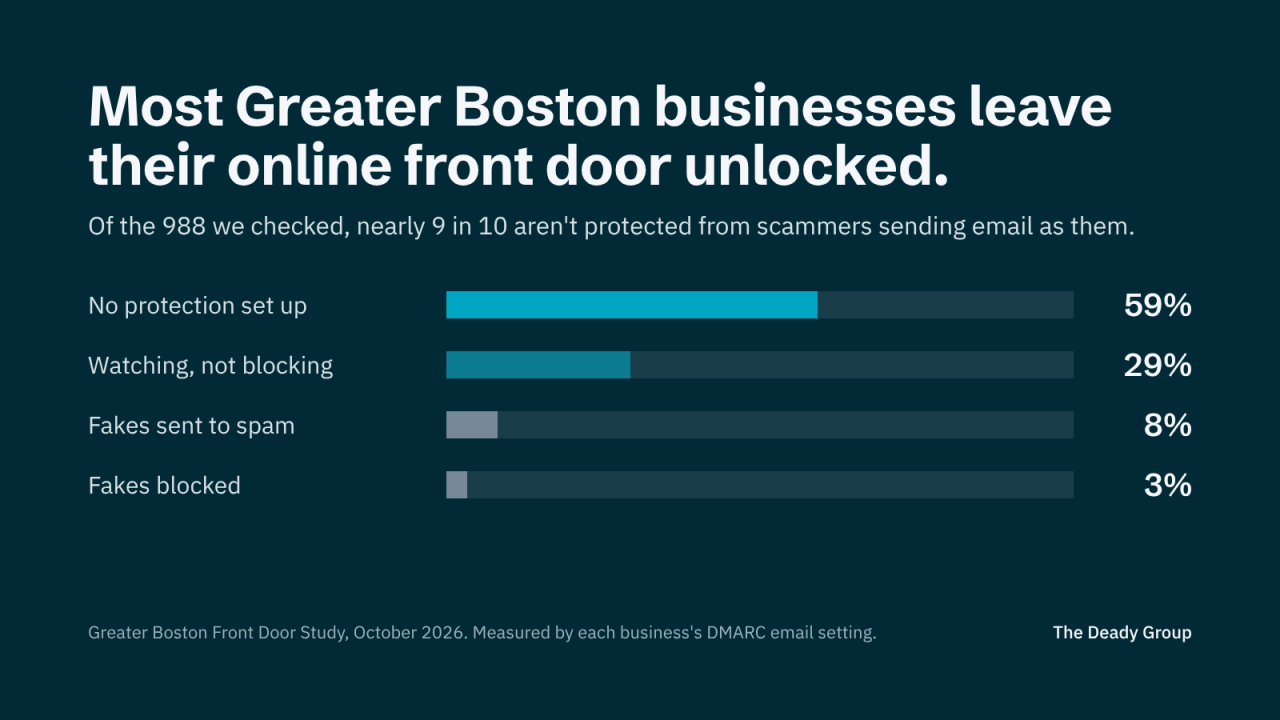
The headline number is about email. 59 percent of the businesses we checked have no protection against someone sending email as them. Another 29 percent have it turned on but set to watch only, which sends reports and blocks nothing. Put those together and nearly 9 in 10 aren't telling inboxes to stop fake mail in their name.
That matters because of what fake mail costs. Business email compromise, the scam where a criminal poses as someone you trust and asks for a payment or new bank details, cost victims more than $3 billion in 2025, according to the FBI's Internet Crime Complaint Center. Only investment fraud cost more.
And it's getting easier. Criminals now use AI to write polished messages at almost no cost, so broken grammar is no longer the giveaway it used to be. Smaller businesses also carry more of the damage: Verizon's 2025 Data Breach Investigations Report found ransomware in 88 percent of breaches at smaller organizations, compared with 39 percent at larger ones.
The rest of the picture wasn't much better. 57 percent of homepages don't link to a privacy policy. Half of websites skip the basic protections browsers and insurers look for. And 15 percent of the businesses we found have no website of their own.
Insight worth remembering: none of this points to careless owners. It points to settings that were never part of anyone's job.
Five Things to Check This Week
Most of these take minutes to look at. Most of the fixes take an afternoon.
1. Whether someone can send email as you
What it is: a short, free entry in your domain settings called DMARC. It tells Gmail, Outlook and Yahoo what to do with an email that claims to be from you but isn't.
Where to find it: run your domain through a free checker, or ask whoever manages your email whether you have a DMARC record and what it's set to.
What to do: if there's none, publish one in watch-only mode, read the reports for a few weeks to find every service that sends email for you, then move it to quarantine and finally reject. Going straight to blocking can send your own invoices to spam.
2. Whether your email is landing in spam
What it is: two more entries, SPF and DKIM, that prove your email really came from you. Gmail now requires every sender to have at least one, and the big providers are strictest with anyone who sends in volume.
Where to find it: the same free checker shows both. If a client has ever said your quote "went to junk," start here.
What to do: list every tool that sends email as you, from your inbox to your invoicing and newsletter tools, and make sure each one is included. Your email provider won't do this for you. On Google Workspace, 54 percent of the businesses we checked had no DMARC record. On Microsoft 365, 46 percent.
3. Your privacy policy and tracking
What it is: the policy link in your footer, and the analytics and ad tools running on your site.
Where to find it: scroll to the bottom of your homepage. Then ask what tools the site runs.
What to do: link a privacy policy that matches what the site collects. 51 percent of the sites we could read run tracking like Google Analytics or the Meta Pixel with no cookie notice at all. And check the analytics actually work: 7 percent still run Google's old analytics code, which Google switched off in July 2023.
4. Your website's basic protections
What it is: short instructions a site sends to every browser, such as "always use the secure version of this page." Cyber insurers and larger customers ask about them.
Where to find it: a free website grader will show which ones your site sends.
What to do: ask your web host or developer to turn them on. This one mostly comes down to the platform. Wix, Squarespace and Shopify add them automatically, and none of their sites fell short. Among WordPress sites, 72 percent did.
5. What AI tools find about you
What it is: the labels behind your site that tell Google and AI assistants what your business is, where it is and what it does.
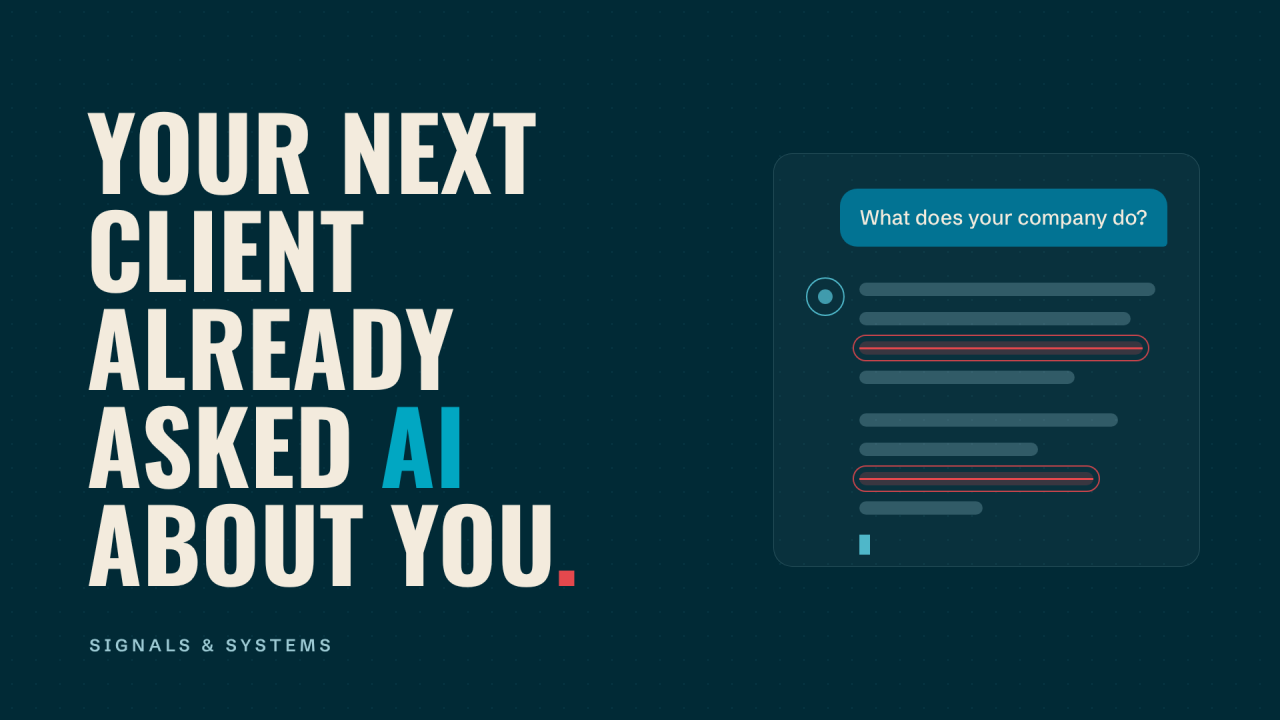
Where to find it: ask ChatGPT or Gemini what your company does, and compare the answer with the truth.
What to do: fewer than 3 percent of the sites we checked block AI tools from reading them, so the question isn't whether AI can see you. It's whether what it finds is accurate. Plain words on your homepage and labeled business details are the start.
What This Looks Like in Practice
We've seen the cost of item 1 firsthand. One of our clients got an email that appeared to come from one of their own customers. The link inside gave an attacker access to their PayPal account, and money was pulled from the linked bank account.
The uncomfortable part is who that protection belongs to. Our client did nothing wrong by opening a message from a customer they knew. The setting that tells inboxes to block a forged message lives on the domain being impersonated. Every business that leaves it off is leaving its customers and vendors exposed, not just itself.
A Practical Lens
Before your next renewal or marketing push, it's worth being able to answer these:
- Can someone send email that looks like it's from us, and have we turned that off?
- Has a client ever told us our email went to spam?
- Does our privacy policy match the tools our website actually runs?
- Is our website analytics collecting numbers right now?
- Does our site have the basic protections our insurer asks about?
- Who in the company owns these settings?
Where The Deady Group Fits
We built the checks behind this study into two free tools. The Domain Check shows whether someone can send email as you, whether your domain or mail servers are on a spam blocklist, and the exact records to fix it. The Front Door Grade gives your email, website security and AI readability one score out of 100. Neither asks for an email to show you a result.
For the full picture, the Digital Presence and Technology Review covers eight areas, prepared by hand. We work with your IT provider or MSP, not around them. If something in this issue sounds like your business, start a conversation.
The full results, industry breakdown and method are in the Greater Boston Front Door Study.
Closing Thought
Greater Boston runs on trust. Local businesses win on reputation and referrals built over years. But that reputation now gets tested online first: by a customer comparing options at 10 p.m., by an inbox deciding whether your invoice is legitimate, and by a criminal deciding whether your name is worth borrowing.
The businesses that close these gaps will look more trustworthy to customers, more reliable to inboxes and clearer to AI. They'll also be a lot harder to impersonate.
P.S. Before you close this, run your own domain through the free Domain Check. It takes about ten seconds.
This issue also ran on LinkedIn, where you can follow Signals & Systems.