Check any domain.
Email authentication, 17 blocklists, DNS, the website's certificate and the domain registration, read from public records in about ten seconds. No sign-up. In our October 2026 study, 89% of 988 Greater Boston businesses weren't blocking spoofed email.
What it checks.
| SPF (one record, how it ends, the 10-lookup limit), DKIM at common selectors, DMARC policy and reporting, MTA-STS, your mail provider. Comes with the exact records to fix what it finds. | |
| Blocklists | Your domain on 5 domain blocklists, and your mail servers on 12 IP blocklists, including Spamhaus, SpamCop and Barracuda. Each listing links to the list's own lookup and removal page. |
| DNS | Nameservers, SOA, MX records, whether each mail server resolves and has reverse DNS, the website's address records and CAA. |
| Website | HTTPS, the redirect from http://, certificate expiry and trust, HSTS, the six recommended security headers, and software versions the server gives away. |
| Registration | Registrar, expiry date, transfer lock and DNSSEC, from the registry's public RDAP record. |
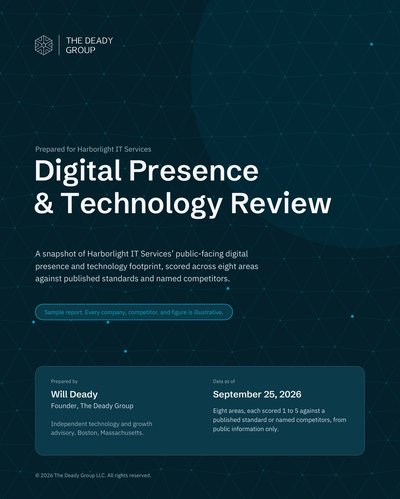
Everything comes from public records: DNS, the blocklists' own lookups, the website as any visitor sees it, and the domain registry. For the rest of the picture (speed, search, local listings, AI visibility, privacy), the Digital Presence & Technology Review covers eight areas and is prepared by hand. For how 988 Greater Boston businesses scored on the same checks, read the Front Door Study.
What is email spoofing?
Sending a message that claims to come from someone else's address. Without an enforced DMARC policy, a criminal can send mail that shows your exact address in the From line, and many inboxes will deliver it. It's how fake invoices and "we changed our bank details" requests reach your clients looking like they came from you.
What is the difference between SPF, DKIM and DMARC?
SPF is a public list of the servers allowed to send email for your domain. DKIM is a signature each sending service adds to prove a message wasn't altered. DMARC ties the two together: it tells receiving inboxes what to do when a message fails (deliver it, send it to spam, or reject it) and where to send reports.
What does it mean if I'm on a blocklist?
Blocklists are lists of servers and domains that have sent spam or hosted something malicious. Mail filters check them, so a listing on a major one (Spamhaus, SpamCop, Barracuda) can send your mail to spam or get it refused. The usual causes are a hacked mailbox, an infected computer on your network, or a shared server someone else abused. Fix the cause first, then use the list's own page to request removal.
Why does a blocklist say "could not check"?
Some lists limit how many lookups they answer, or refuse lookups from large networks. When a list doesn't answer, we say so rather than guess. Run the check again later, or look the address up on the list's own site.
Why does the check say DKIM "may" be missing?
DKIM keys live under a name the sending service chooses. We check the common ones (Google, Microsoft and others). If yours uses a custom name, it won't show here even though it works.
Is it safe to change these records myself?
Usually, if you follow the order in the fix plan: publish DMARC in monitor mode first, read the reports, and only then move to quarantine and reject. Tightening DMARC before every legitimate sender is listed can send your own invoices to spam. If you'd rather not risk it, we can make the changes for you.
What do you do with the domain I enter?
The check reads public records, the same ones any mail server or browser reads. We log the domain and the result so we can follow up if you ask for help. Nothing is installed and no access is granted.
Want help with what came up?
Start with a conversation. We'll walk through what the check found, what matters for your business and what can wait. When it's time to fix it, we publish the records, turn on DKIM, read the DMARC reports and move you to enforcement without losing legitimate mail.