How do you optimize a Google Business Profile for a B2B company? Choose the one primary category that best describes your core business, list your services in your buyers' words, keep your name, address, phone number, and website identical everywhere they appear, reply to every review, and check the profile every quarter. Google says local results are based mainly on relevance, distance, and prominence, and a B2B company controls more of the first and third than most owners realize.
Business-to-business companies tend to treat the Business Profile as something for restaurants and plumbers. Then a prospect searches the company's name, sees an out-of-date phone number, no photos, and a two-year-old review with no reply, and forms an opinion before the first call.
Why it matters for B2B
- It is the first thing people see when they search your name. Referrals, event contacts, and prospects reached by outreach all look you up before they reply.
- It feeds Google Maps and local results. Searches such as "IT consulting Boston" or "commercial cleaning near me" show a map with three businesses before any website.
- It shapes what AI assistants say about you. Assistants draw on the same public signals: your name, category, location, services, and reviews.
What Google says drives local ranking
Google states that local results are based mainly on three things (Google):
- Relevance: how well your profile matches what someone searched for. Your categories, services, and description drive this.
- Distance: how far you are from the searcher, or from the location in their search. You cannot change this, apart from listing accurate service areas.
- Prominence: how well known your business is. Google notes that more reviews and positive ratings can help, along with how your business appears across the web.
Google also says there is no way to pay for a better local ranking. The work is in relevance and prominence.
The settings that matter most
Primary category. This is the single strongest relevance signal on the profile. Google advises choosing the fewest categories it takes to describe your core business (Google). Pick the category your best buyers would search for, then add only the secondary categories that describe real, significant parts of your work.
Services. List each service under its category, in the words buyers use. "Managed IT services," "network monitoring," "Microsoft 365 migration" will be matched to searches. "Holistic technology enablement" will not.
Business description. Say plainly who you serve, what you do, and where. Lead with the most important sentence, because only the start shows without a click.
Address or service area. Show your address if customers visit you there. If you serve clients at their locations or remotely, Google asks service-area businesses to hide the address and list the areas they serve instead.
Name, address, phone, and website. Use the exact legal or trading name, with no keywords added. Match the phone number and address to your website and every major directory. Inconsistency across listings undermines both trust and ranking.
Hours. Real hours, including holiday hours. A B2B company that shows "Open 24 hours" by accident looks careless.
Reviews: ask, and always reply
Reviews are the part of prominence you can influence directly.
- Ask at the right moment: after a project closes well, or when a client thanks you. Send a direct link to the review form.
- Do not offer anything in exchange for a review, and do not post reviews on clients' behalf. Both break Google's rules.
- Reply to every review, positive or negative, within a few days. A calm, specific reply to a critical review often does more for a prospect's impression than the review itself.
Photos and updates
Add real photos: your team, your office or workspace, your people at client sites if clients agree, and finished work where it can be shown. Replace stock images. Post an update when something real happens, such as a new service, a new hire, a case study, or an event. Profiles that show recent activity read as active businesses.
A quarterly routine
Every three months, spend fifteen minutes on this list.
- Confirm hours, phone number, website, and address or service areas.
- Check that the primary category still matches your core business.
- Add any new services.
- Reply to any review without a response.
- Add two or three recent photos.
- Search your company name and your main service plus your city, and note what appears.
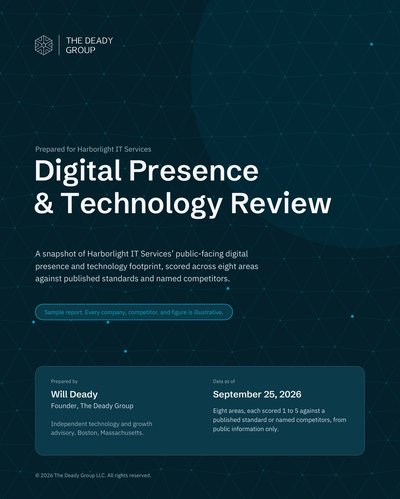
The local listing is one of six checks in our 30-minute website audit. It is also one of the eight areas in the Digital Presence & Technology Review, where it is measured against your competitors rather than in isolation. The sample report, Digital Presence & Technology Review: Harborlight IT Services, shows how.
Questions, answered plainly
Does a B2B company need a Google Business Profile? Yes. Buyers search a company's name before they call, and the profile is often the first thing they see. It also feeds Google Maps, local results, and the information AI assistants draw on.
Should a B2B company show its address? Show it if customers visit you there. If you serve clients at their locations or remotely and work from a home office or shared space, Google asks service-area businesses to hide the address and list the areas they serve instead.
How often should we update our Business Profile? Check it every quarter: hours, categories, services, photos, and unanswered reviews. Post an update whenever something real changes, such as a new service, a new office, or a published case study.