Where does AI search optimization start for a company like yours? It starts with finding out what ChatGPT and Google's AI already say about you, which takes about twenty minutes: ask them the questions your buyers ask, then write down what comes back and which sources each answer cites. You can change those answers, but not by talking to the assistant. You change them by fixing what it reads, which means whether it can reach your site, what your own pages say, and what other sites say about you.
For an owner-operated company, that's most of the job. It isn't a new discipline with its own secret rules. It's the same front door you already have, read by a different visitor, and that visitor is now answering questions about you before a prospect ever opens your website.
AI search optimization starts with looking
Most companies skip this step. They hear that AI search matters, buy a tool or hire someone, and never record what the assistants said on day one. Without that baseline you can't tell whether anything you did made a difference.
So start with a plain test. Open a private browser window so your own history doesn't shape the results, then ask the same prompts in ChatGPT (with search on) and in Google, where an AI Overview or AI Mode answer may appear. If your team uses Microsoft Copilot or Perplexity, add those too. Ask each prompt at least twice, because the answers vary from run to run.
The prompts to ask
Write prompts the way a buyer would type them, not the way your marketing describes you. Four kinds cover most of what matters.
| Prompt type | Example | What you're checking |
|---|---|---|
| Your name | "What does [company] do?" | Are the facts right: services, location, size, who you serve? |
| Category and place | "Best commercial HVAC contractors in Greater Boston" | Are you mentioned at all? |
| Problem | "Who can help a Massachusetts manufacturer replace its phone system?" | Do you show up when the buyer doesn't know your name? |
| Comparison | "[Company] vs [competitor]" | Is the comparison fair and current? |
For every answer, note four things in a simple sheet: whether you appear, whether the description is accurate, which competitors appear, and which links the assistant cites. That last column is the one that tells you what to fix.
Read the sources, not just the answer
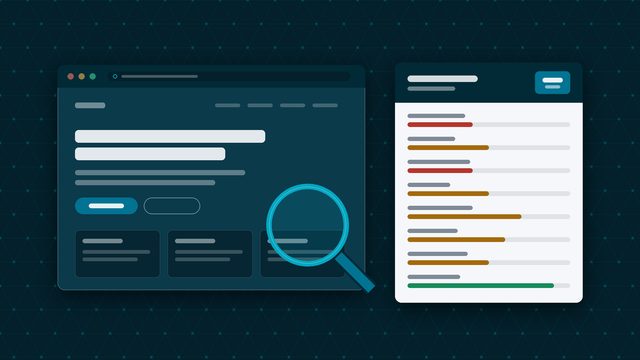
When an assistant gets something wrong about you, it's usually repeating a source. An old directory listing with your previous address. A Google Business Profile that still lists a service you dropped. A press mention from three years ago that describes you as something you no longer are. Or, quite often, your own website, which says less than you think it does.
Click every cited link. If the wrong fact traces to a page you control, that's the easiest fix you'll make all year. If it traces to a third-party page, you now know exactly whom to contact.
If you show up in none of the category or problem prompts, look at who does and which pages the assistant cites for them. That shows you what kind of evidence it trusts for your category.
The three fixes that change the answer
1. Let the assistants reach your site
This sounds obvious, yet a security setting at your host or content delivery network, or an old line in your robots.txt file, can block the crawlers these assistants use. OpenAI is direct about the consequence: it says sites that opt out of OAI-SearchBot will not be shown in ChatGPT search answers, apart from navigational links. That's a different crawler from GPTBot, which OpenAI uses for model training, so you can block training and still allow search.
Google's rule is simpler. To appear as a link in AI Overviews or AI Mode, a page must be indexed and eligible to show in Google Search with a snippet. If a page is set to noindex or nosnippet, it can't be cited. Our free website check is a quick way to spot pages search engines can't use.
2. Make your own pages say the facts plainly
Assistants quote what's written down. If your homepage says "solutions for tomorrow's challenges" and never says "commercial roofing in Eastern Massachusetts," you've given them nothing to quote.
Check that your site states, in plain sentences:
- what you do, service by service, each with its own page
- where you work, by town or region (Boston, Woburn, Quincy, the North Shore), not just "New England"
- the kinds of customers you serve
- the questions buyers ask before they call, answered on the page
You don't need special code for this. Google says there's no special schema.org structured data you need to add to appear in its AI features, and no AI-specific text files. Clear pages that a person can understand are the work. Our guide to auditing your website in 30 minutes walks through the rest.
3. Fix what other sites say about you
Your Google Business Profile, Bing Places listing, LinkedIn company page, industry directories, chamber and association member pages, review sites such as Yelp, Clutch or the BBB, and old coverage in the Boston Business Journal or a trade publication all feed the answer. When they disagree with each other or with your site, the assistant has to pick one, and it may pick the wrong one.
Start with the sources the assistants cited in your test, then work outward. Keep your name, address, phone number, services and description consistent everywhere. Our piece on Google Business Profile optimization for B2B companies covers the profile settings that matter most. Earning new mentions takes longer; correcting stale ones is often a single email.
Check again in a month
Run the same prompts, in the same way, about thirty days after your changes. Compare them with your first sheet. You're looking for movement in the pattern: fewer wrong facts, more appearances in category and problem prompts, and more of your own pages among the cited sources.
Don't expect every answer to be perfect. The assistants change, and so do their sources. A quarterly check is enough for most companies, and it fits neatly alongside a review of your website and listings.
Where The Deady Group fits
We're an independent technology and growth advisory in Boston. Our free Digital Presence & Technology Review includes what ChatGPT and Google's AI say about your company, the sources behind those answers, and the fixes in order of effort. We tell you how we're compensated before we recommend anything.
Questions, answered plainly
What is AI search optimization? It's the work of making sure AI assistants such as ChatGPT, Google AI Overviews and AI Mode can find your company, describe it accurately, and mention it when someone asks a question you should be part of. Most of it is ordinary website and listing hygiene, done with those assistants in mind.
Do we need special schema or an llms.txt file to appear in Google's AI features? No. Google says there are no additional requirements and no special schema.org structured data needed to appear in AI Overviews or AI Mode. A page has to be indexed and eligible to show in Google Search with a snippet.
Why does ChatGPT give a different answer each time we ask? The assistants generate each answer fresh, and the sources they pull can change from one run to the next. That's why you should ask the same prompts several times, write down what comes back, and judge the pattern rather than any single answer.
How long before fixes change what AI assistants say? It depends on how quickly your pages and listings are recrawled, so there's no fixed timeline. Re-run the same prompts about a month after you make changes and compare them with your first notes.