Disclosure. The Deady Group may be compensated if you sign up through some links on this page (Passpack). It costs you nothing extra, and we only recommend tools we would recommend without it. Our affiliate disclosure and how we are compensated explain the rest.
What is the best team password manager for a small business? A team password manager is the right tool once more than one person needs the same logins, and for most small teams the choice comes down to budget, sharing controls, and whether you need single sign-on. Passpack is the lowest-cost way to get shared, logged access for a team of up to 20. Bitwarden is the strongest value once you want directory sync and policies. 1Password is the most polished choice for a team that will pay more for an easier experience.
Most owner-operators already know the problem. Passwords live in a spreadsheet, a shared inbox, a sticky note, or one person's browser. When that person leaves, nobody's sure what they still have access to. A password manager fixes that, but only if the team actually uses it, so fit matters more than the feature list.
What a team password manager has to do
Before comparing products, agree on the jobs. For a business of 5 to 50 people, these are the ones that count:
- Share logins with the right people only. Finance sees the bank portal. Marketing sees the social accounts. Nobody sees everything by default.
- Remove access in one step. When someone leaves, you revoke their account and know nothing walked out the door with them.
- Show who did what. An activity or event log tells you who opened or changed a credential and when.
- Encrypt so the vendor can't read your data. Look for a zero-knowledge design, where encryption happens on your devices.
- Enforce multi-factor authentication. A vault behind a single password is still a single point of failure.
If your firm handles personal information on Massachusetts residents, the last three points also support the access controls a written information security program expects. Our guide to 201 CMR 17.00 covers what that program has to include.
Passpack, Bitwarden and 1Password compared
Prices below were taken from each vendor's own pages in October 2026 and are billed annually unless noted.
| Passpack | Bitwarden | 1Password | |
|---|---|---|---|
| Entry team plan | Teams, $1.50 per user per month, teams up to 20 | Teams, $4 per user per month | Teams Starter Pack, $24.95 per month for up to 10 people |
| Next tier | Business, $4.50 per user per month | Enterprise, $6 per user per month | Business, $8.99 per user per month |
| Single sign-on | SSO sign-in referenced on Business | Enterprise plan | Identity provider integrations on Business |
| Activity logs | Yes; detailed reports on Business | Event logs on both plans, exportable | Not detailed on the pricing page |
| Free trial | 28 days on Business | Yes | 14 days, no card required |
| Watch for | SSO details not published | SSO and policies need Enterprise | Highest per-user price once you outgrow the pack |
We are compensated on the Passpack link in this article, as noted at the top of the page. We are not compensated by Bitwarden or 1Password.
Passpack
Passpack is a password manager built for teams sharing credentials. It uses a zero-knowledge design, lets you create teams, assign roles and permissions by user, and share credentials in encrypted form. Activity logs alert admins to suspicious login attempts. Its Teams plan is listed at $1.50 per user per month for teams of up to 20 people, and its Business plan at $4.50 per user per month, with a 28-day free trial of Business.
Choose it if you want the lowest cost to get a small team off spreadsheets with shared, logged access. Look elsewhere if single sign-on with your identity provider is a requirement. Passpack refers to SSO sign-in on its Business plan but doesn't publish the details, so confirm it works with yours during the trial.
Bitwarden
Bitwarden offers two business plans with a flat rate per seat. Teams, at $4 per user per month, includes unlimited sharing through collections, event and audit logs, directory sync and SCIM provisioning. Enterprise, at $6 per user per month, adds enterprise policies, custom roles, single sign-on and a self-hosting option. Both plans offer a free trial.
Choose it if you want directory sync and logs at a modest price, or you are an MSP standardizing one tool across clients with different needs. For many small businesses, this is the better value of the three. Look elsewhere if your team is less technical and needs the most guided setup, since Bitwarden's admin console assumes some comfort with IT concepts.
1Password
1Password sells a Teams Starter Pack at $24.95 per month for up to 10 people, with room to add up to 10 more seats at $4.99 each per month. Its Business plan is $8.99 per user per month and adds identity provider integrations with Okta, Entra ID, OneLogin and Duo, plus Watchtower security alerts. Both offer a 14-day trial without a card.
Choose it if ease of use is the deciding factor and you expect adoption to be the hard part. A tool people like is a tool people use. Look elsewhere if cost per seat matters at 20 people or more, where it's the most expensive option here.
How to choose without a long evaluation
Most small teams can decide in a week:
- Count the people and the shared logins. Under 20 people with no identity provider, Passpack or Bitwarden Teams will do the job.
- Check your directory. If you already manage users in Microsoft Entra ID or Google Workspace, price the tier that connects to it.
- Run a trial with real logins. Move the ten credentials people share most and see who actually uses the tool for two weeks.
- Write down the owner. One named admin, one backup, and a recovery plan if both are unavailable.
- Turn on multi-factor authentication for everyone on day one, not after the rollout.
For MSPs
An MSP often ends up holding a client's credentials. Keep each client in a separate vault or organization, never in your own shared space. Agree in writing who owns the account and how the client takes full control if you part ways. That clarity also helps the client when an insurer or auditor asks who has access. Our piece on zero trust explains the wider principle.
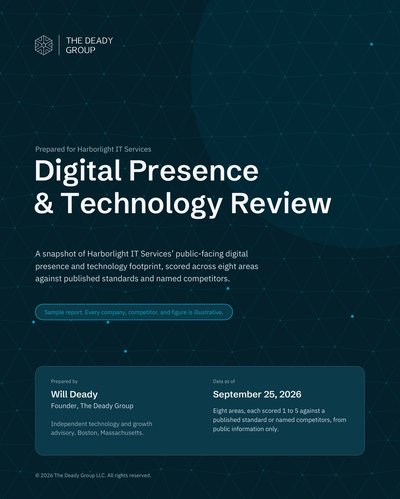
A password manager is one control among several. If you'd like an outside view of how your site, email and core systems hold up together, start with our free tools or request the free Digital Presence & Technology Review.
Questions, answered plainly
Is the password manager built into our browser good enough for a team? For one person, it can be. For a team, it falls short: there is no clean way to share a login with the right people, remove access when someone leaves, or see who opened what. A team password manager is built for exactly those jobs.
Do we need single sign-on in our password manager? Not usually under about 20 people. It starts to matter once you manage users in Microsoft Entra ID, Google Workspace or Okta and want joiners and leavers handled in one place. If that describes you, budget for the plan tier that includes it.
What happens if the password manager company is breached? With a zero-knowledge design, the vendor stores only encrypted data it cannot read, so the master passwords and the keys stay with your team. That is why strong, unique master passwords and multi-factor authentication on every account still matter.
Can an MSP manage a client's password manager? Yes, and many do. Agree in writing who owns the account, who holds admin rights, and how the client gets full control back if the relationship ends. The vault belongs to the client, not the provider.