What should a managed IT services contract in Boston actually say? It should name exactly what is covered, how fast the provider responds, what security work is included, what costs extra, and how you leave with your data and passwords. Most disappointment with a managed service provider traces back to a contract that was vague on one of those five points. Read them before you compare prices.
Managed IT services in Boston cover a wide range: one-person shops supporting a few offices, regional firms with a full help desk, and national providers with a local sales team. Many are good. The difference between a provider that works for you and one that frustrates you is often written down before the first ticket is opened.
This guide is for owners and operators who are choosing a provider or renewing one. If you're still deciding whether you need a managed service provider at all, or an advisor to help you make the call, start with how to choose an IT consulting firm in Boston.
What managed IT services in Boston usually include
Most proposals describe the same core bundle, though the words differ:
- Help desk. Phone, email, or portal support for users, usually during business hours.
- Device management. Laptops, desktops, and sometimes phones, with patching and antivirus or endpoint protection.
- Monitoring. Alerts on servers, network gear, and backups.
- Backup. For servers and often for Microsoft 365 or Google Workspace data.
- Vendor coordination. Calling your internet provider, software vendors, or printer company on your behalf.
- Periodic reviews. A quarterly or annual meeting on the roadmap and budget.
The bundle sounds complete, however each item hides choices. "Backup" can mean a nightly copy kept for thirty days or a tested restore plan with copies held off site. "Monitoring" can mean someone acts on an alert at 2 a.m., or it can mean the alert waits until morning. The contract is where you find out which one you're buying.
Five things to pin down before you sign
1. Scope, in numbers
The agreement should list the users, devices, locations, and applications it covers. Ask what happens when you add ten people or open a second office. Ask whether line-of-business software, such as your accounting, practice management, or ERP system, is supported or only "best effort."
2. Response and resolution targets
A service level agreement should separate priorities. A down server and a user who can't print are different problems. Look for a response target and a resolution or update target for each priority, the hours those targets apply, and what you receive if the provider misses them. Credits are fine. A right to terminate after repeated misses is better.
3. A written security baseline
Ask the provider to list the security controls included in the monthly fee: multifactor authentication, endpoint protection, email filtering, patching cadence, backup testing, and admin account practices. Then ask which ones cost extra. Your cyber insurance renewal will ask about many of the same controls, so the list does double duty.
Massachusetts adds a requirement many owners don't know they have. Under 201 CMR 17.00, a business that owns or licenses personal information about Massachusetts residents must maintain a written information security program. A provider can run many of the technical safeguards, but the program itself remains your responsibility. We cover what goes in it in 201 CMR 17.00 for Massachusetts businesses. The contract should say which controls the provider runs and which stay with you.
4. Exclusions and how they're billed
Every agreement has exclusions. Common ones include projects, new hardware, after-hours work, onsite visits beyond a set number, and anything involving third-party software. That's normal. What matters is that the exclusions are listed, the rate for each is stated, and approvals are required before billable work starts.
5. The exit
Ask how you get out before you get in. The contract should cover the notice period, auto-renewal terms, early termination fees, and what the provider hands back: admin credentials, documentation, network diagrams, license records, and backup data. A provider confident in its service won't mind writing this down.
Pricing models, compared
Providers tend to use one of three structures. None is wrong, but each puts the risk in a different place.
| Model | How it works | Watch for |
|---|---|---|
| Per user | A monthly fee for each person supported | Part-time staff and shared accounts counted as full users |
| Per device | A monthly fee for each computer, server, or network device | Costs that climb as people add second machines |
| Tiered bundle | Bronze, silver, gold packages with set inclusions | Security or backup only in the top tier |
Ask every provider on your shortlist for the same thing: the expected cost of a normal month and a normal year, including the projects and exclusions you would realistically need. That figure is easier to compare than three different price sheets.
A short checklist for the proposal review
Use this when the proposals arrive.
- The covered users, devices, locations, and applications are listed.
- Response and resolution targets are set by priority, with hours and remedies.
- The security controls in the monthly fee are named, and extras are priced.
- Exclusions are listed with rates and an approval step.
- Reporting is defined: what you receive, and how often.
- Auto-renewal, notice periods, and termination fees are clear.
- The exit section names credentials, documentation, and data return.
- References come from companies your size, chosen by you.
Put the shortlisted providers side by side on one page with weighted criteria. Our IT vendor evaluation template is built for that comparison, and it works just as well when one of the options is keeping your current provider.
For MSPs reading this
If you run a managed services firm, the same checklist is how a careful buyer will read your proposal. Clear scope, a named security baseline, and a plain exit section shorten the sales cycle, because they answer the questions an owner's advisor or insurance broker will raise anyway.
Where The Deady Group fits
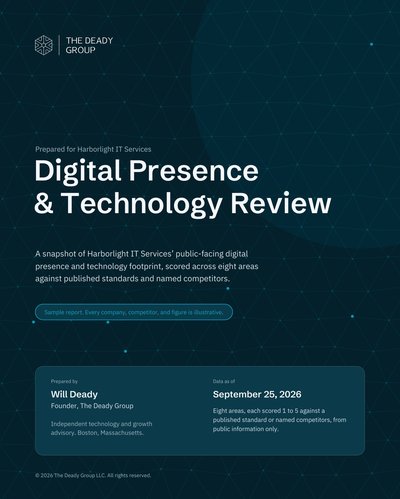
We're an independent technology and growth advisory based in Boston. We don't run help desks or resell managed services. We help owners choose or renegotiate a provider, read the contract, and compare total cost, and we disclose how we're compensated before any recommendation. If you'd like an outside view of your environment before you talk to providers, start with the free Digital Presence & Technology Review. If the question is what you're already paying across technology services, bill analysis is the faster route.
Questions, answered plainly
How are managed IT services usually priced? Most providers charge per user or per device each month, sometimes with a tiered bundle on top. Projects, after-hours work, and new hardware are often billed separately. Ask for the price of a typical month and a typical year, including the work that sits outside the monthly fee.
What should a managed IT services agreement include? A clear scope of covered users, devices, and applications, response and resolution targets by priority, a written security baseline, a list of exclusions and how they are billed, reporting, and an exit section covering documentation, credentials, and data return.
Is a three-year managed services contract normal? Multi-year terms are common, and some providers price them lower. The risk is auto-renewal and early termination fees that make it hard to leave if service slips. A shorter first term, or a termination right tied to missed service levels, keeps the leverage balanced.
Does a Boston managed service provider handle Massachusetts compliance? Not by default. A provider can run many of the technical safeguards 201 CMR 17.00 expects, but the written information security program and its ownership stay with your company. The contract should say which controls the provider runs and which remain yours.