Free domain health checker. SPF, DMARC, HTTPS, and headers in ten seconds.
Enter your domain. We read its public DNS and web records, the ones that decide whether your email lands in the inbox and whether browsers, insurers, and search engines trust your site, and explain each finding with a fix.
Is your domain working for you or against you?
Email deliverability, spoofing protection, and site trust all come down to a few public records. See yours.
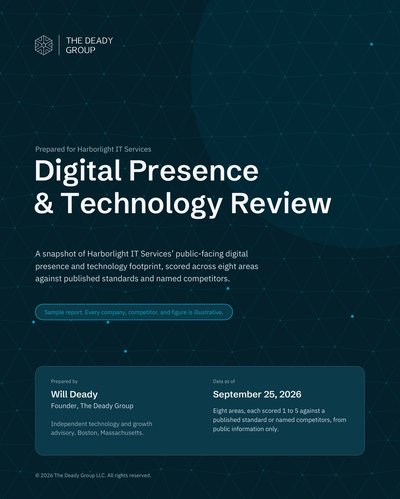
A grade and findings from public DNS and web records. For DKIM alignment, MX and blacklist checks, and the full picture, the 22-page Digital Presence & Technology Review is available at no charge. Read a sample.
Send the full report
The 22-page Digital Presence & Technology Review for : eight areas scored, prioritized recommendations, and a path forward. Prepared by hand, delivered within three business days. No charge, no follow-up sequence.
The records this checker reads.
Each one is public. Each one is something a mail server, a browser, or an underwriter already looked at.
SPF
The DNS record that lists who may send email as your domain. Missing, and anyone can. Too permissive (+all, or a ~all with ten includes), and it may as well be. The checker reports whether it exists and how it ends.
DMARC and its policy
The record that tells receiving servers what to do with mail that fails SPF or DKIM. The checker reports none, quarantine, or reject, and what each means for you. p=none is monitoring, not protection.
HTTPS and security headers
Whether the final page loads over HTTPS and whether the six recommended security headers are sent. These show up verbatim in vendor-risk and cyber-insurance questionnaires.
Structured data
Schema.org markup on the homepage, which is how search engines and AI assistants identify the business behind the domain. Also the title and meta description.
What a domain health check does not see.
So you know where the full Review picks up.
DKIM, per sender
DKIM signatures are set per sending service (Microsoft 365, Google Workspace, HubSpot, your CRM). The Review verifies alignment for every service that sends as you.
MX, blacklists, and reports
Where your mail is received, whether the domain or its IPs sit on a blocklist, and what the DMARC aggregate reports say about who is actually sending as you.
Registration and certificates
When the domain expires, whether it has registrar lock and DNSSEC, and what certificate transparency logs show about certificates issued for it, including ones you did not ask for.
What is a domain health check?
A read of the public DNS and web records attached to your domain name that decide whether your email is delivered and whether your website is trusted: the SPF record, the DMARC record and its policy, whether the site enforces HTTPS, the security headers it sends, and the structured data on the homepage. This checker reads them in about ten seconds and explains each finding in plain English.
What is the difference between SPF, DKIM, and DMARC?
SPF is a DNS record listing which servers may send email for your domain. DKIM is a cryptographic signature each sending service adds to its messages. DMARC is the record that tells receiving mail servers what to do when a message fails SPF or DKIM (deliver anyway, quarantine, or reject) and where to send reports. This checker reads SPF and DMARC directly; DKIM is verified per sending service in the full Review.
My DMARC record says p=none. Is that bad?
It means the record exists but tells receivers to deliver spoofed mail anyway. It is the right first step while you collect reports and find every legitimate sender, but it is not protection. Moving to p=quarantine and then p=reject is usually a short project, and insurers and Google (for bulk senders) increasingly expect it.
Why does email security show up in cyber insurance applications?
Because business email compromise is the most common and most expensive claim insurers pay. SPF and DMARC are the two public controls an underwriter can verify without asking you anything, so they do. A domain with no DMARC is often a higher premium or a declined application.
Can you fix what the checker finds?
Yes. Most findings are DNS and hosting changes we make in a day, usually as part of a website or email project. Request the full Review and it comes with a prioritized list; or book a call if you already know what you need.