What does a DMARC failure mean? It means a message that claimed to come from your domain could not prove it. The receiving mail server checked the message against SPF and DKIM, found that neither passed for the domain in the visible From address, and then applied whatever your DMARC policy tells it to do: deliver it anyway, send it to spam, or refuse it. A failure is either someone impersonating you, or, far more often, one of your own services sending email it was never authorized to send.
That second case is the one that costs money. Invoices land in spam, password resets never arrive, a newsletter quietly stops reaching half its list, and nobody connects it to a DNS record set up years ago.
What DMARC actually checks
DMARC sits on top of two older checks.
- SPF lists the servers allowed to send email for your domain. It lives in a DNS record that starts with "v=spf1".
- DKIM adds a cryptographic signature to each message, which the receiver verifies against a public key in your DNS.
DMARC adds the step that matters: alignment. A message passes DMARC only if SPF or DKIM passes for the same domain the reader sees in the From line. A message can pass SPF for a vendor's domain and still fail DMARC for yours, because the passing domain is not the one on the envelope the reader sees.
Your DMARC record then tells receivers what to do with mail that fails: "p=none" (deliver, but report it), "p=quarantine" (send to spam), or "p=reject" (refuse it).
Why this became urgent
For years, DMARC was optional and few companies bothered. That changed when the largest inbox providers made authentication a condition of delivery. Since February 2024, Gmail has required every sender to use SPF or DKIM, and anyone sending more than 5,000 messages a day to also publish DMARC, with the From domain aligned to SPF or DKIM (Google). Microsoft announced similar requirements for high-volume senders to its consumer mailboxes in 2025 (Microsoft).
Even below those volumes, receivers treat unauthenticated mail with more suspicion every year. And without an enforced DMARC policy, anyone can send a convincing invoice that appears to come from your domain.
The six usual causes
DMARC failures almost always trace back to one of these.
1. A service sending as you that is not in SPF. The CRM, the newsletter tool, the help desk, the billing system, the website's contact form. Each was set up by a different person, and nobody added it to the SPF record.
2. SPF passes, but for the vendor's domain. Many services send using their own domain in the hidden envelope address. SPF passes, but not for your domain, so it does not count for DMARC. The fix is DKIM signing with your domain, or a custom return path, set up in that service.
3. DKIM never turned on. Microsoft 365, Google Workspace, and most marketing platforms support DKIM, but often leave it off until someone publishes the keys and switches it on.
4. A broken SPF record. Two separate SPF records, a typo in the "v=spf1" tag, or a record that needs more than ten DNS lookups to evaluate. Any of these makes SPF fail for everything. We have found a misspelled SPF record on a live business domain that had been sending mail for years. Nothing looks wrong until someone reads the record.
5. Forwarding and mailing lists. When a message is forwarded or passed through a list that changes it, SPF breaks and DKIM may too. Some failures in your reports will always come from this, and that is normal.
6. Someone impersonating you. Messages from servers you have never heard of, often in volume. This is what DMARC exists to stop, and it is the reason to reach enforcement rather than stay at "p=none" forever.
How to find which cause you have
Look at a failing message's headers. In Gmail, open the message, choose "Show original," and read the SPF, DKIM, and DMARC results at the top. In Outlook, view the message source and find the "Authentication-Results" line. It tells you which check failed and for which domain.
Read your DMARC reports. If your DMARC record includes a "rua" address, receivers send daily aggregate reports listing every server that sent mail as your domain and whether it passed. The raw reports are XML and hard to read by eye. A DMARC reporting service turns them into a list of senders, which is the fastest way to find the services nobody remembered.
Check the records themselves. A free lookup tool will show your SPF and DMARC records and flag the obvious errors: duplicates, typos, and too many lookups.
How to fix it without blocking your own email
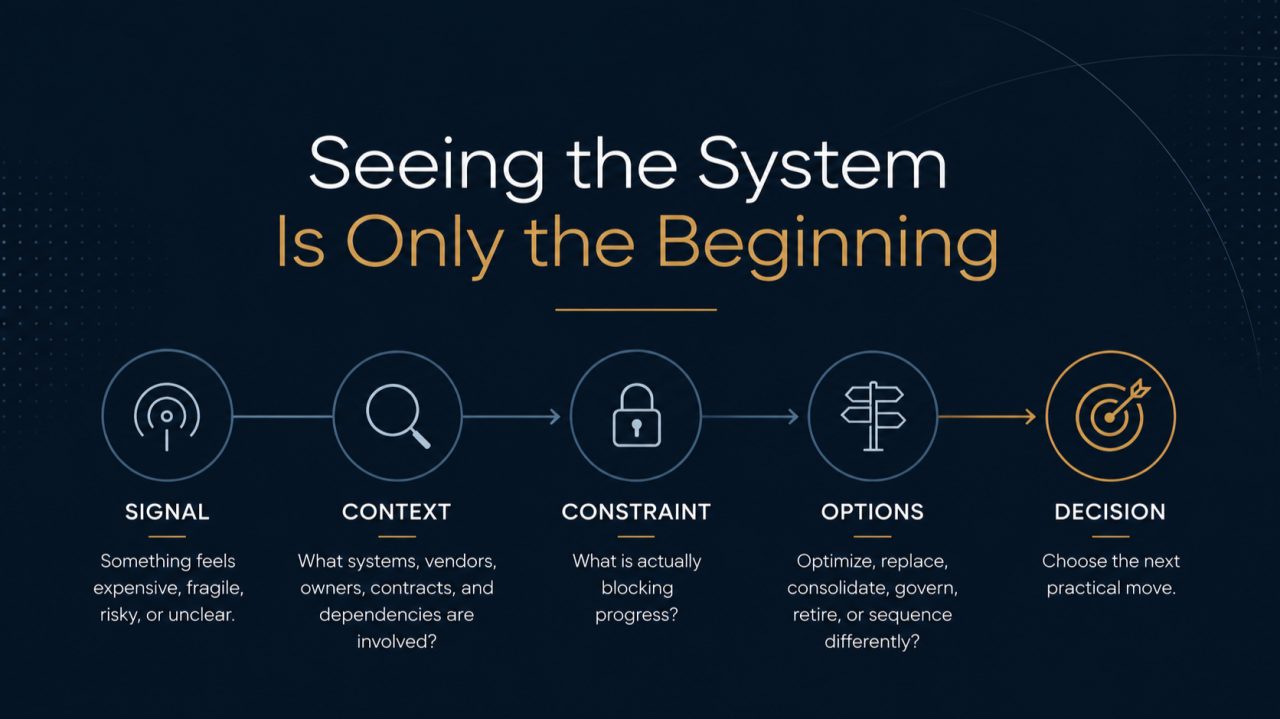
Work in this order.
- Publish a DMARC record at "p=none" with a reporting address if you do not have one. Nothing is blocked yet. You are only collecting information.
- Fix the SPF record. One record, every legitimate sender included, under ten lookups. Remove services you no longer use.
- Turn on DKIM everywhere you can, starting with your main mailbox provider, then each service that sends as you.
- Read the reports for two to four weeks. Some senders only send monthly, such as statements and renewal notices. Fix each legitimate sender as it appears.
- Move to "p=quarantine," then watch the reports for another few weeks.
- Move to "p=reject" once legitimate mail passes consistently.
The DNS changes take minutes. The weeks in between are what keep you from blocking your own invoices. Skip them and you will find out which services you forgot from the customers who never received anything.
What good looks like
A healthy domain has one SPF record that lists every sender, DKIM signing on the main mailbox and on every service that sends as the company, a DMARC policy at quarantine or reject, and someone who reads the reports, or a service that reads them and raises anything new. Domains that do not send email at all, such as old brand domains, should publish an SPF record that allows no senders and a DMARC record at reject, so nobody can borrow them either.
Our 30-minute website audit includes a quick version of this check alongside the rest of your public footprint. For the longer view of why email infrastructure matters beyond spam, see email authentication and the hidden layer behind deliverability.
Questions, answered plainly
Is a DMARC failure always an attack? No. Most DMARC failures in a small or midsize company come from its own legitimate services, such as a CRM, newsletter tool, or billing system, that were never set up to send on the domain's behalf. Spoofing attempts also fail DMARC, which is the point of it.
Can we just set DMARC to reject? Not until every legitimate sender passes. Moving to reject first will block your own invoices, newsletters, and system notices. Start at "p=none," read the reports, fix each sender, then move to quarantine and finally reject.
How long does it take to fix DMARC? The DNS changes take minutes. Finding every service that sends as your domain usually takes two to four weeks of reading reports, because some senders only send monthly.